Projects and workspaces
Each body of work has its own files, chats, instructions, context, and results. People and agents continue the same work without rebuilding its background.
Local-first workspace
Run compatible local models on your computer. Connect supported providers with keys you already control. Organize work into projects so files, instructions, and approved memory stay on your machine unless you send a turn out.
Local record
The workspace writes the turn to the project on your computer. Search and reopen it on your machine. Work stays with you, and it is not used as training data.
What you asked. Stored with the project on your computer.
Files, instructions, and selected memory attached to the turn.
What came back. Kept on your machine, not in a provider chat history.
The model’s reasoning for the turn, when it produces one.
Works on
ChatGPT, Claude, Grok, Kimi, MiniMax, Gemini, DeepSeek, and Qwen in one local-first workspace.






Your PC · Launch plan
Prompt
Prepare a launch plan. Keep private files on your computer.
Context
brief.md · prior-decisions.md · approved memory
Thinking
Reasoning for this turn stays with the project on your PC.
Response
Draft organized from local sources. Folders stayed on your PC.
Stored on your machine
Velociti / Launch plan /
prompt.json
context.json
thinking.json
response.json
On your computer
Kept with the project.
What changes: AI work gains a durable home. Projects keep related files, conversations, instructions, decisions, and results together. Approved context can strengthen each new chat or Bot without surrendering your history to one provider.
Prepare a launch plan. Keep private files on your computer.
Thread stays attached to Launch plan
Organizing sources and checking the draft on your machine.
Your keys · idle
 Hugging Face
 OpenRouter
 Codex
Codex Claude
DeepSeek V4 Flash
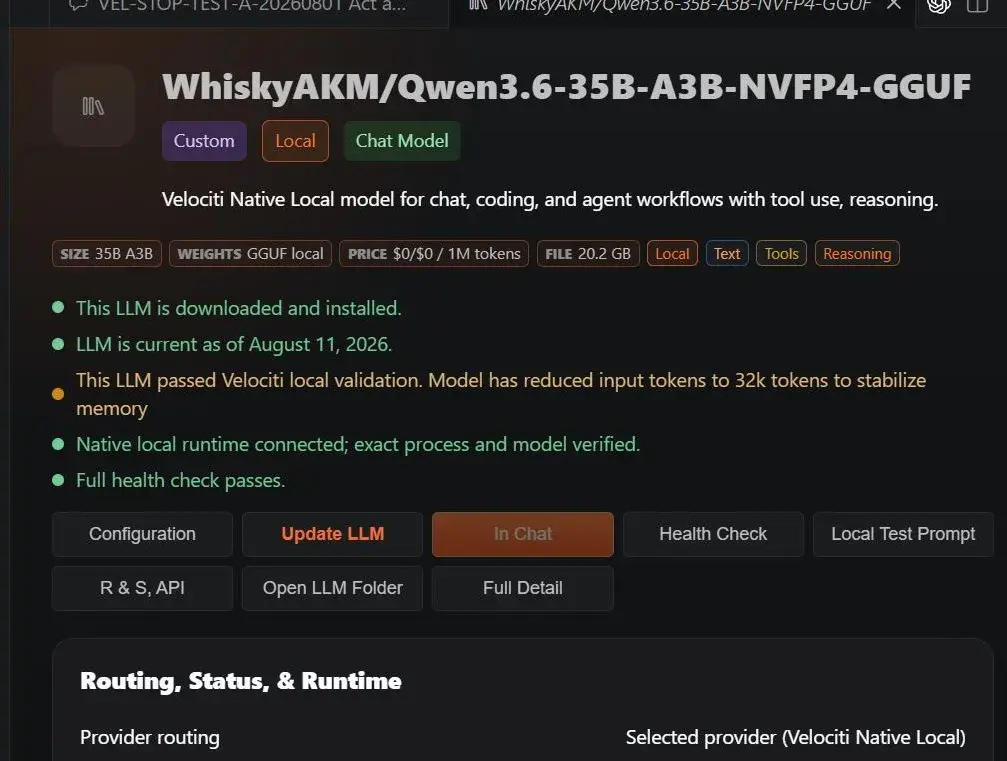
Compatible local GGUF · chat · tools · your PC
GGUF placement
System RAM · DDR5Weights can live here
GPU VRAMNot the only home
GGUF can store the model in system RAM, including DDR5, as well as VRAM. Placement follows measured headroom. Not a speed claim.
In Chat
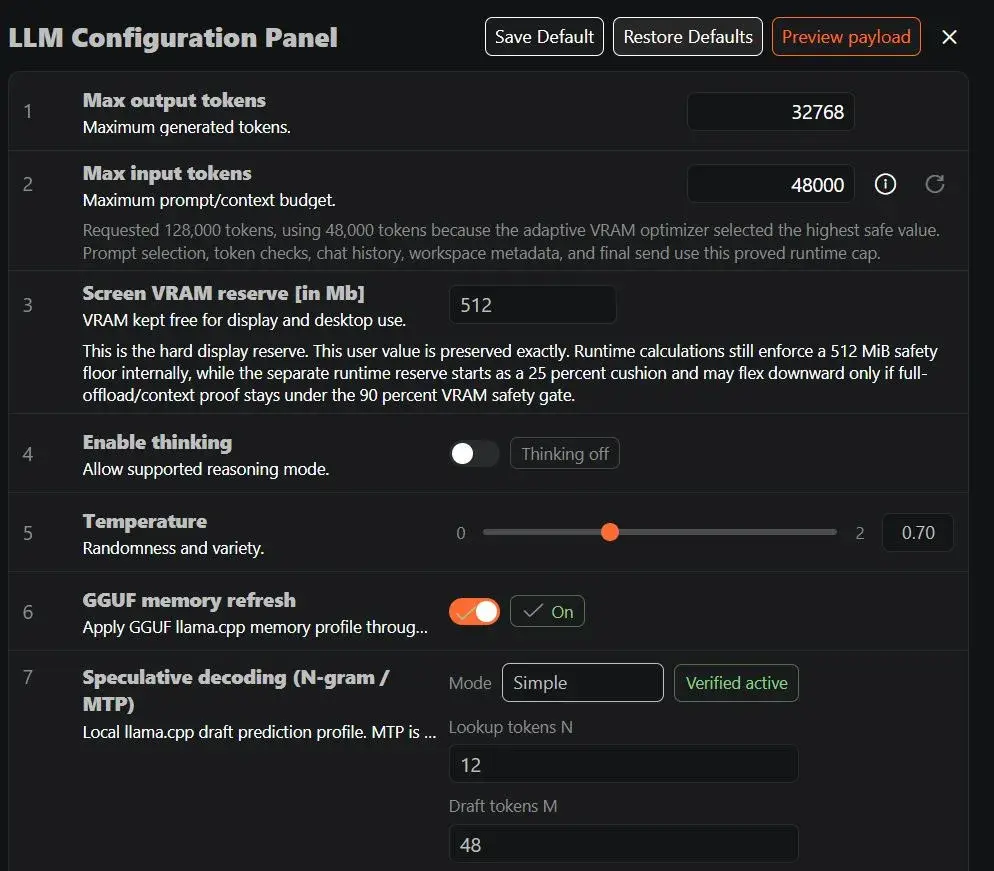
LLM Configuration Panel
Save DefaultRestore DefaultsPreview payloadMax output tokens
Maximum generated tokens.
Max input tokens
Maximum prompt/context budget. Adaptive VRAM optimizer picks a safe cap.
Screen VRAM reserve [in Mb]
VRAM kept free for display and desktop use.
Enable thinking
Allow supported reasoning mode.
Temperature
Randomness and variety.
GGUF memory refresh
Apply the GGUF llama.cpp memory profile.
Speculative decoding
Local llama.cpp draft prediction. N-gram / MTP.
Each body of work has its own files, chats, instructions, context, and results. People and agents continue the same work without rebuilding its background.
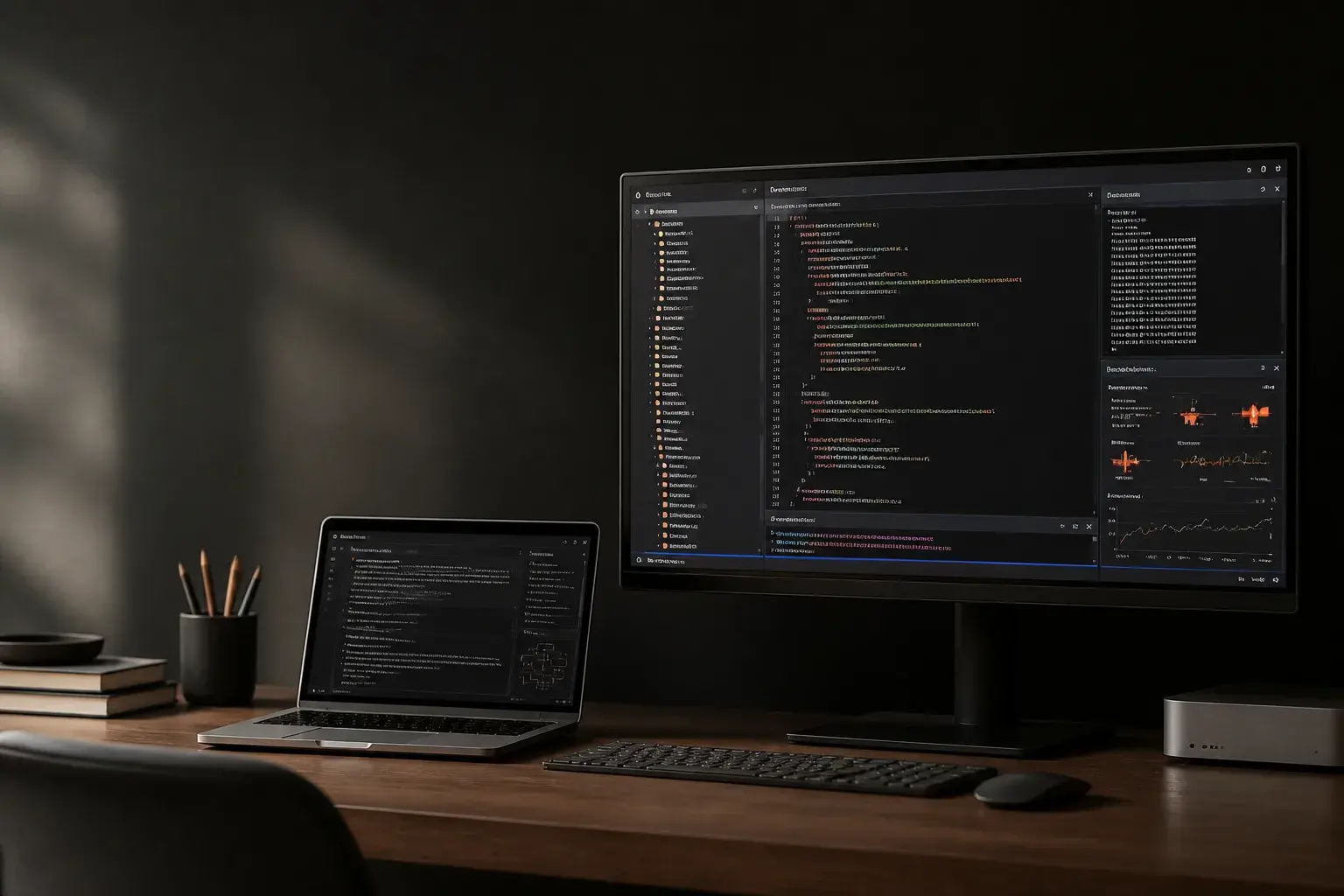
Work with an editor, terminal, browser, files, diagnostics, extensions, chats, and agents together. The workspace is the place the work lives, not a separate chat tab.
Velociti installs a compatible local runtime, measures hardware, and adds the model to your picker. GGUF weights can be placed in system RAM, including DDR5, as well as GPU VRAM. Placement follows measured headroom.
Connect supported providers through keys you already control.
Polar is the local vector database for project context. Workspace retrieval selects relevant file segments and references without injecting the entire workspace. Chat memory and procedural memory stay separate.
Per-message receipts can show model, provider, input, output, cache, and reasoning tokens while you work.
A local Chrome DevTools Protocol channel lets Velociti inspect visible IDE actions and verify work without relying on screen scraping. Agents receive scoped, user-approved tool access.
From chat to continuous work
Work directly in chat or create a Hermes Bot in Plus. Velociti carries selected context, model choice, agent state, token use, and accepted results from one step to the next.
Models and Bots gain useful context from accepted work. Responses become more relevant, repeated prompting falls, and tailored intelligence survives model changes.
Carried forward
Step 1 of 6: Start in a project. The payload does not reset.
Spend intelligence where it matters
A frontier model can supervise or review work prepared by a local model. Hard judgment receives stronger intelligence. Private and repeatable steps stay local when appropriate.