
This turn
One click · stays
Local chat activated. Pick a thread.
Write in your project…Send
This turn
One click · stays
Local chat activated. Pick a thread.
Weekly research brief
DeepSeek V4 Flash · files stay attached
Health
Idle
Runtime
00:00:00
Writes stay gated until you allow them.
Launch plan
Several bots · your machine
Handoff carries accepted work. Writes stay gated.
DeepSeek V4 Flash
DeepSeek-V4-Flash-Q4_K_M.gguf
Launch plan · your PC
Prompt
Prepare a launch plan. Keep private files on your machine.
Context
brief.md · prior-decisions.md · memory
Response
Draft organized from local sources.
prompt.json · context.json · thinking.json · response.json
Folders and tools
Private Alpha · Limited cohorts
A local-first workspace. Run compatible local models on your computer. Connect a supported provider only when you choose to send a turn out.
Local chatCodex → Kimi K3 · On your PC
DeepSeek V4 Flash
Compatible local GGUF · chat · tools · your PC
GGUF placement
System RAM · DDR5Weights can live here
GPU VRAMNot the only home
GGUF can store the model in system RAM, including DDR5, as well as VRAM. Placement follows measured headroom. Not a speed claim.
In Chat
LLM Configuration Panel
Save DefaultRestore DefaultsPreview payloadMax output tokens
Maximum generated tokens.
Max input tokens
Maximum prompt/context budget. Adaptive VRAM optimizer picks a safe cap.
Screen VRAM reserve [in Mb]
VRAM kept free for display and desktop use.
Enable thinking
Allow supported reasoning mode.
Temperature
Randomness and variety.
GGUF memory refresh
Apply the GGUF llama.cpp memory profile.
Speculative decoding
Local llama.cpp draft prediction. N-gram / MTP.
Local record
The workspace writes the turn to the project on your computer. Search and reopen it on your machine. Work stays with you, and it is not used as training data.
What you asked. Stored with the project on your computer.
Files, instructions, and selected memory attached to the turn.
What came back. Kept on your machine, not in a provider chat history.
The model’s reasoning for the turn, when it produces one.
Works on
ChatGPT, Claude, Grok, Kimi, MiniMax, Gemini, DeepSeek, and Qwen in one local-first workspace.






Your PC · Launch plan
Prompt
Prepare a launch plan. Keep private files on your computer.
Context
brief.md · prior-decisions.md · approved memory
Thinking
Reasoning for this turn stays with the project on your PC.
Response
Draft organized from local sources. Folders stayed on your PC.
Stored on your machine
Velociti / Launch plan /
prompt.json
context.json
thinking.json
response.json
On your computer
Kept with the project.
One click. Your keys.
Switch between a compatible local model and a supported provider without rebuilding the task. You bring the key.
Prepare a launch plan. Keep private files on your computer.
Thread stays attached to Launch plan
Organizing sources and checking the draft on your machine.
Your keys · idle
 Hugging Face
 OpenRouter
 Codex
Codex Claude
Hermes · Plus
Name the job, choose what it may use, and start. Hermes stands the bot up on the project already open, usually a local model, so it can keep going after you leave the chat, with last week’s brief still attached. Mount prompts and rules on a model such as Fable 5 only when you need this turn steered. That is an agent: it follows the documents you attached, then the context ends.
Agent · this turn
Fable 5 · documents attached
This turn
Attach voice, rules, and scope. Fable 5 follows them against the files you opened. Close the turn and that context is gone. The agent does not keep a diary.
Bot · one click
DeepSeek V4 Flash · local · persistent memory
Still on your project
Start it once. It can run the brief again tomorrow with last week still attached.
Orchestration · Plus
Coordinate Hermes Bots around a shared task. Each bot can carry its own memory. Handoffs pass accepted work, not an entire history, and not another bot’s private memory.
Orchestration · Plus
Launch plan
Several bots · one project · your machine
Hermes · Weekly brief
Research
Sources
Gather
Campaign draft
Compose
A handoff carries accepted work. A full transcript is not dumped into the next bot. Writes stay gated.
Boundaries
Choose which folders an agent may see. Connection is not permission. A tool still stops for current-turn approval when policy requires it.
Folders on your PC
Tools
Connection is not permission.
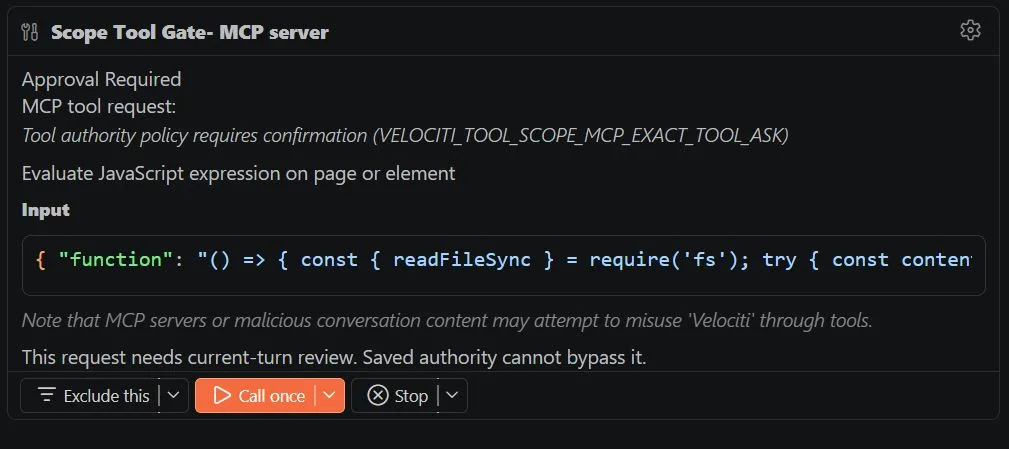
Scope tool gate
This request needs current-turn review. Saved authority cannot bypass it.
The tool asked to evaluate an expression. Do not treat this form as a place to paste secrets.
Waiting for a person.
Workspaces · Plus
Plus brings people into one workspace with shared files, conversations, agents, and accepted results. Each person still uses keys they control.
Shared with the project
Keys stay with each person. The project is what you share.
One workspace
The product brief names a workbench: editor, terminal, browser, files, diagnostics, extensions, chats, and agents together. History stays searchable. Only useful context enters the next turn.
Editor, terminal, browser, files, diagnostics, extensions, chats, and agents sit in one place. The project is what they share.
Polar is the local vector database for project context. Workspace retrieval, approved procedural memory, and chat memory stay separate. Relevant file segments are selected. The entire workspace is not injected.
Receipts can show model, provider, input, output, cache, and reasoning tokens. Tool definitions enter only when needed. Irrelevant tools are pruned from each turn.
A local Chrome DevTools Protocol channel inspects visible IDE actions so work can be verified without relying on screen scraping.
Keep private preparation local. Use a supported provider when harder judgment earns the added cost. The task decides the route. The project remains.
Download and self-install
A better place to use AI.
For ongoing and coordinated work
AI that keeps working with you and for you.
Free is complete. Plus keeps going.
Compare Free and PlusVelociti Enterprise
Enterprise is a separate organizational product. It joins company workspaces, private intelligence, governed agents, institutional memory, and customer-owned compute.
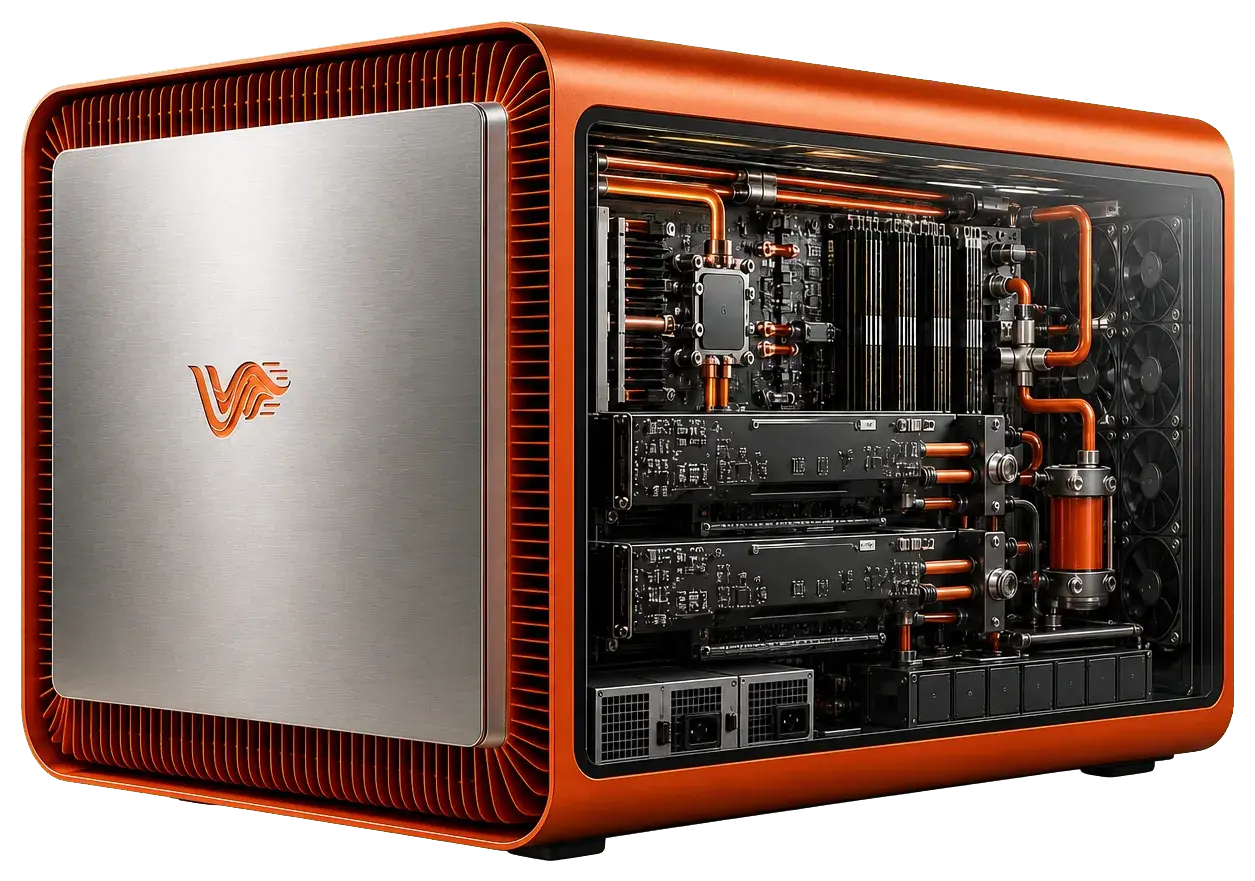
Private Alpha
Velociti is admitting small cohorts so we can observe setup, fix activation problems, and expand responsibly.
Required: email. Everything else is optional and helps us match a cohort.
For company deployments, talk to Velociti Enterprise.
FAQ
A limited, observed rollout. Velociti is admitting small cohorts so we can watch setup, fix activation problems, and expand responsibly.
We’ll match you to a cohort as space opens.
Local-model tuning is hardware-aware. GGUF weights can be placed in system RAM, including DDR5, as well as GPU VRAM, so a machine is not limited to video memory alone. Suitable models and settings still depend on measured headroom. We may ask about operating system and GPU so a cohort can be matched honestly.
A local-first AI workspace and operating layer. It brings compatible local models, supported providers, project memory, files, and agents together so changing intelligence does not mean starting over. See how Velociti works.
Velociti runs compatible local models and connects supported providers with keys you control. The public list is on models Velociti works with.
Prompts, context, responses, and thinking stay on your computer with the project. Search and reopen them without a provider-owned chat account. Polar retrieves relevant file segments without injecting the entire workspace. Work is not used as training data. A supported provider is used only when you send a turn out.
Free is a complete personal workspace: local models, supported providers, projects, history, receipts, and approved tools. Plus includes Free and adds shared workspaces, Hermes Bots, schedules, orchestration, and recovery. Read Velociti Free vs Plus and Free and Plus.
Enterprise is a separate organizational product with customer-owned compute, company workspaces, Sentinel authority, governed agents, audit evidence, and expert services. See Velociti Enterprise.
Velociti holds an editor, terminal, browser, files, diagnostics, extensions, chats, and agents together. The project is the shared object, not a provider chat account.
A local Chrome DevTools Protocol channel. It lets Velociti inspect visible IDE actions and verify work without relying on screen scraping.
Start a Hermes Bot when the work should continue: one click from the project, usually on a local model, with memory that lasts beyond the chat. Use an agent when you only need this turn steered. Mount prompts and rules on a model such as Fable 5, and it works from that context alone. The agent does not keep a long memory. The bot does. Continuity lives in Plus.
Plus adds schedules and monitoring so a bot can continue while you are away. You can see progress, model use, tokens, results, and anything that needs attention. Pause, stop, restart, and continue from saved state.
Polar is the local vector database for project context. Workspace retrieval selects relevant file segments and references without injecting the entire workspace. Project retrieval, approved procedural memory, and chat memory stay separate. A full transcript is not handed to the next model.
Free is listed on this site. Plus pricing appears when it is public. Enterprise is qualified with you.
Apply for Alpha if you want a local-first workspace. Compatible local models run on your machine. Supported providers enter only when you send a turn out.